

Learning Hub for HR & L&D
Practical guides, videos, FAQs, and HR and L&D support resources for using Blended Leading inside Microsoft Teams.
- Start Here
- Understanding Your Role as HR Admin
- Setting Up Your Workspace
- Setting Up Organizational Structure & Hierarchy
- Configuring Data Sources (Core Setup)
- Setting Up Your Leadership Model
- Managing Users & Roles
- Understanding Reports & HR Analytics
- Data, Privacy & Governance for HR
- FAQ – HR Admin Perspective
Welcome to Blended Leading!
This guide gives you a clear overview of what Blended Leading is, what role you play as an HR Admin, and how the platform supports leadership development at scale.
What is Blended Leading (from an HR perspective)?
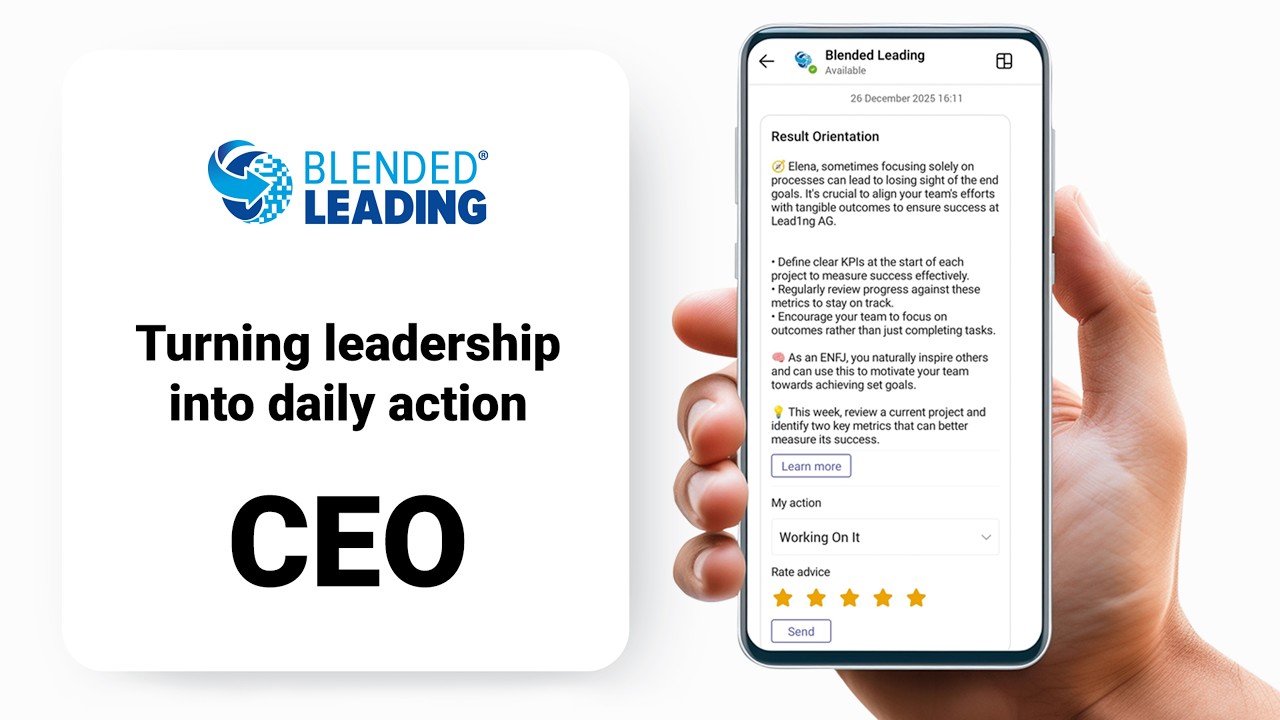
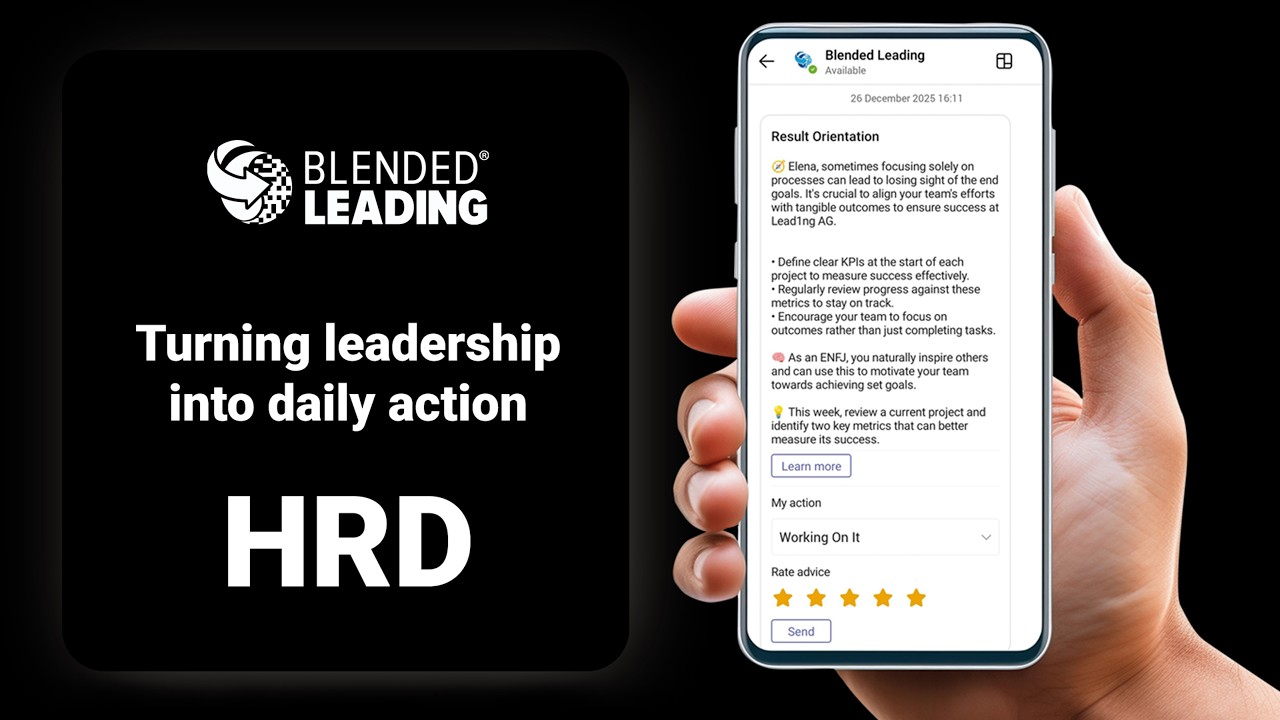
Blended Leading is a data-driven leadership enablement system that delivers personalized, AI-supported nudges to leaders directly in Microsoft Teams.
Instead of relying only on training, coaching, or workshops, Blended Leading helps leaders apply what they have learned in their daily work – continuously and at scale.
It connects:
- Your leadership model and strategy
- Your existing HR data sources (e.g. 360 feedback, psychometrics, performance data)
- AI-supported analysis and nudging
The result is ongoing behavioral reinforcement, not one-time learning.
What problem does it solve?
Most organizations already invest in leadership development: – Trainings – Coaching – Development programs
But in reality:
- Learning is often not applied consistently
- Leaders fall back into old habits
- HR lacks visibility into behavioral impact
Blended Leading closes this gap by:
- Bringing development into the flow of work
- Providing continuous, bite-sized guidance
- Creating data-driven insights on leadership behavior
Your role as an HR Admin
As an HR Admin, you are not managing daily usage—you are enabling the system.
Your role typically includes:
- Configuring the workspace and organizational structure
- Defining data sources (e.g. 360 reports, values, leadership principles)
- Maintaining the leadership model
- Managing users and permissions
- Monitoring usage and aggregated insights
You are shaping the context and quality of the nudges, not the nudges themselves.
Individual vs. organization-managed setup
Blended Leading can operate in two modes, depending on your organization:
1. Individual-managed model
- Leaders upload and manage their own data
- HR configures the framework and monitors aggregated insights
2. Organization-managed model
- HR or L&D provides data centrally (e.g. 360 reports, leadership inputs)
- Leaders receive nudges without needing to upload data themselves
Both models:
- Use the same AI logic and Nudge Drivers
- Respect strict privacy and GDPR requirements
Your organization decides which approach applies.
What you don’t need to do
With Blended Leading, you don’t need to:
- Manually coach or follow up with each leader
- Create individual development plans for everyone
- Manage complex learning journeys
- Track individual behavior or performance
The system supports leaders automatically, based on the setup you define.
What you gain as HR
Blended Leading enables you to:
- Increase ROI on leadership development investments
- Align leadership behavior with strategy and values
- Scale personalized development across the organization
- Gain aggregated insights without evaluating individuals
It transforms leadership development from a one-time intervention into a continuous system.
How Blended Leading works (in simple terms)
Blended Leading follows a clear logic:
- You configure data sources and leadership context
- The system generates Nudge Drivers from different perspectives
- Leaders receive personalized nudges in Microsoft Teams
- Feedback (ratings & actions) improves relevance over time
- You see aggregated insights at organizational level
A note on trust and privacy
Blended Leading is designed with strict privacy principles:
- No monitoring of chats, emails, or behavior
- No individual-level reporting to managers or HR
- Aggregated and anonymized insights only
- Full GDPR compliance
Your role is to enable development – not to evaluate individuals.
Understanding Your Role as HR Admin
As an HR Admin in Blended Leading, your role is to enable and shape the system, not to manage day-to-day usage.
This article clarifies what you control, where your impact is highest, and what you don’t need
The core idea
Blended Leading is designed to work autonomously once configured.
Your responsibility is to:
- Define the framework and data context
- Ensure quality and relevance of inputs
- Monitor aggregated outcomes
The system then:
- Generates insights (Nudge Drivers)
- Delivers nudges to leaders
- Adapts over time based on feedback
What you control as HR Admin
1. Organizational context
You define how the system reflects your organization:
- Organizational structure (e.g. divisions, departments, locations)
- Leadership levels
- Additional filtering dimensions
This determines how you can later analyze and interpret results.
2. Leadership model
You configure or import your leadership framework:
- Clusters, competencies, and behaviors
- Structure (2-level or 3-level model)
- Mapping to the generic model (for AI interpretation)
This is the foundation for all nudges and insights.
3. Data sources
You define which inputs are used to generate insights:
- 360° feedback reports
- Psychometric tools
- Corporate values and leadership principles
- Performance or other development data (if used)
The quality of nudges depends directly on the quality of these inputs.
4. User setup and access
You manage:
- User roles (HR Admin, Corporate Admin, Local HR, Participants)
- User creation and updates
- Permissions and visibility
You can also:
- Pre-load data (e.g. 360 reports)
- Define individual settings where needed
5. Governance and permissions
You decide:
- Who can view or modify participant data
- How data is managed (central vs individual)
- How the system aligns with internal privacy policies
This ensures Blended Leading fits your organizational governance model.
Where your impact is highest
Not all actions have equal impact. Focus on these areas:
Data quality
Well-structured and relevant data sources lead to better nudges.
Leadership model clarity
Clear, behavior-based competencies improve AI interpretation.
Consistent setup
Aligned structure and configuration improve reporting and insights.
Adoption support
Communicating purpose and value increases engagement.
What you don’t need to do
Blended Leading is designed to reduce HR workload.
You do not need to:
- Monitor individual leaders
- Interpret or validate every nudge
- Follow up on each user’s activity
- Create manual development plans
- Track completion or compliance
The system handles continuous development automatically.
What the system does automatically
Once configured, Blended Leading:
- Processes data and extracts insights
- Generates Nudge Drivers
- Sends personalized nudges in Microsoft Teams
- Adapts based on ratings and action feedback
This allows HR to focus on strategy, not administration.
How to think about your role
A useful way to frame your role:
You design the system → Blended Leading runs it → Leaders benefit from it
Your influence is indirect but powerful.
Setting Up Your Workspace (General Settings)
The General Settings section is where you define the core setup of your Blended Leading workspace.
This is your starting point for configuring how the system represents your organization and how users will experience it.
Why this matters
Your workspace setup determines:
- How your organization is presented in nudges
- Which languages are available to users
- How permissions and access are controlled
A clear and consistent setup ensures a smooth rollout and a better user experience.
What you can configure
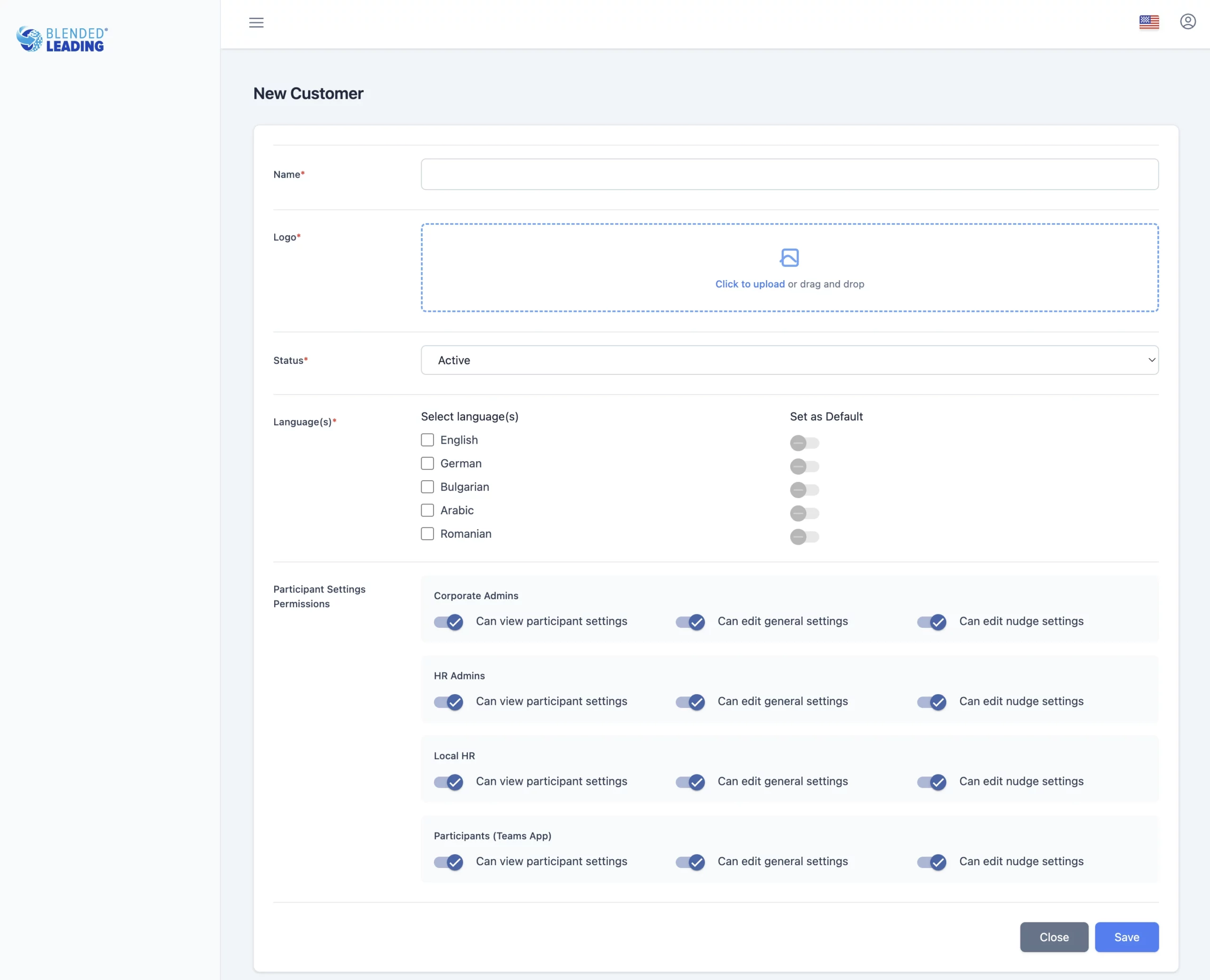
1. Organization name and branding
You can define:
- Organization name (used in nudges and communication)
- Logo (visible in the interface)
This ensures that all nudges and interactions feel native to your organization.
2. Languages and localization
You can select:
- Active languages for your workspace
- Default language for the organization
Available languages may include:
– English
– German
– Bulgarian
– Arabic
– Romanian
Users can later choose their preferred language based on this setup.
3. Participant settings & permissions
This section allows you to control who can access and modify participant data.
You can define:
- View permissions (who can see participant information)
- Modify permissions (who can change settings or data)
This gives you flexibility to align Blended Leading with your:
- Internal governance
- Privacy policies
- HR operating model
How to approach setup (recommended)
To get the best results:
Keep it simple at the start
- Use your standard organization name and branding
- Activate only the languages you actually need
Align permissions early
- Decide who manages users and data
- Define clear responsibilities (HR Admin vs Local HR)
Think ahead about scaling
- Choose settings that will still work when adoption grows
Common pitfalls to avoid
- Activating too many languages without translations
- Giving broad modification rights without clear governance
- Changing core settings frequently after rollout
Setting Up Organizational Structure & Hierarchy
The Organizational Structure & Hierarchy setup defines how your organization is represented inside Blended Leading – and how you will later analyze and interpret results.
This is one of the most important configuration steps for HR.
Why this matters
Your structure determines:
- How you can filter and segment data in reports
- How you can compare groups (e.g. departments, locations)
- How insights can be used for organizational decisions
A well-designed structure enables meaningful analytics, not just data.
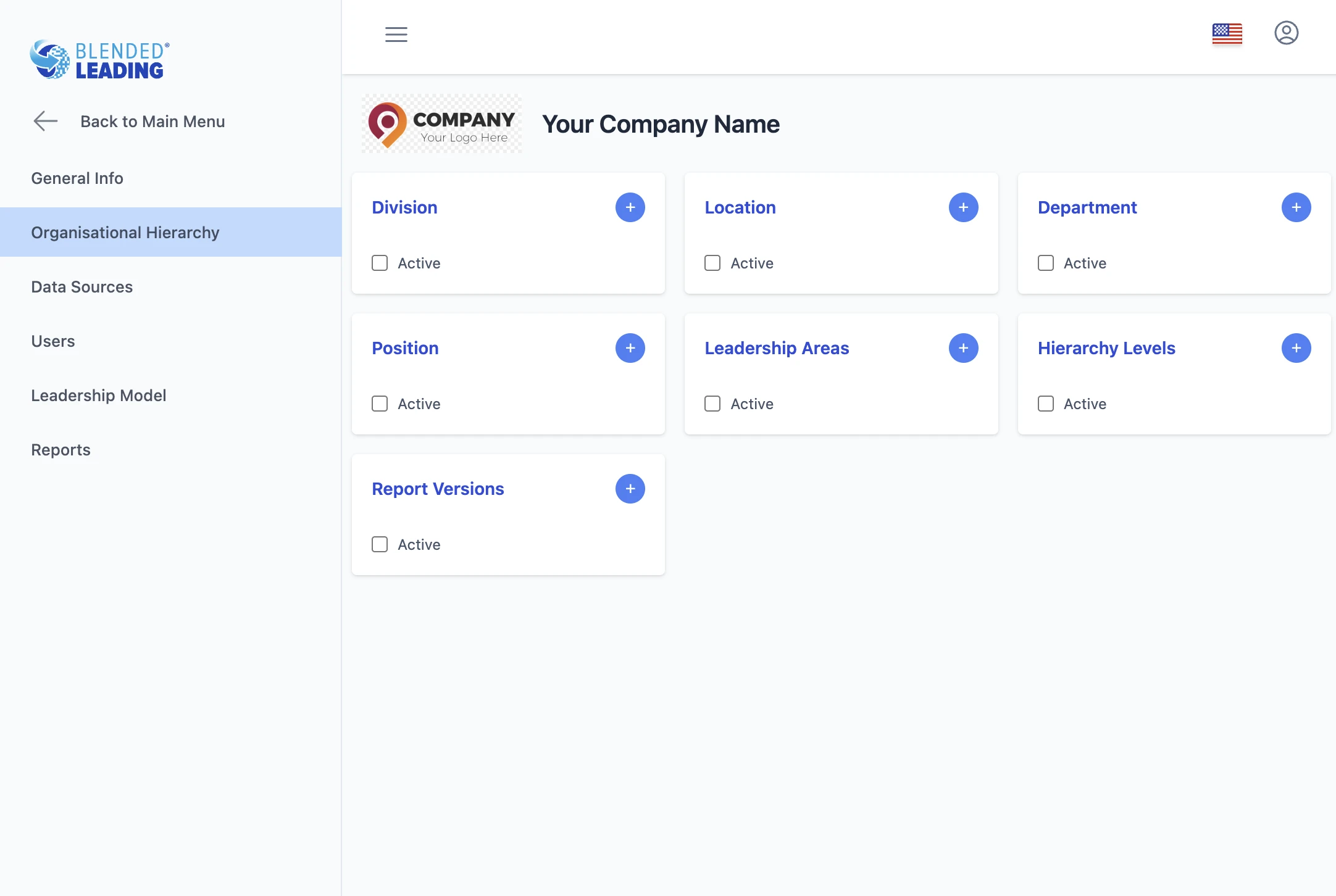
What you can configure
- A selectable attribute for users
- A filter in reporting and analytics
1. Core organizational fields
You can activate and define:
- Division
- Department
- Location
- Position
Once activated:
- These fields appear in user profiles
- They can be used to filter reports and insights
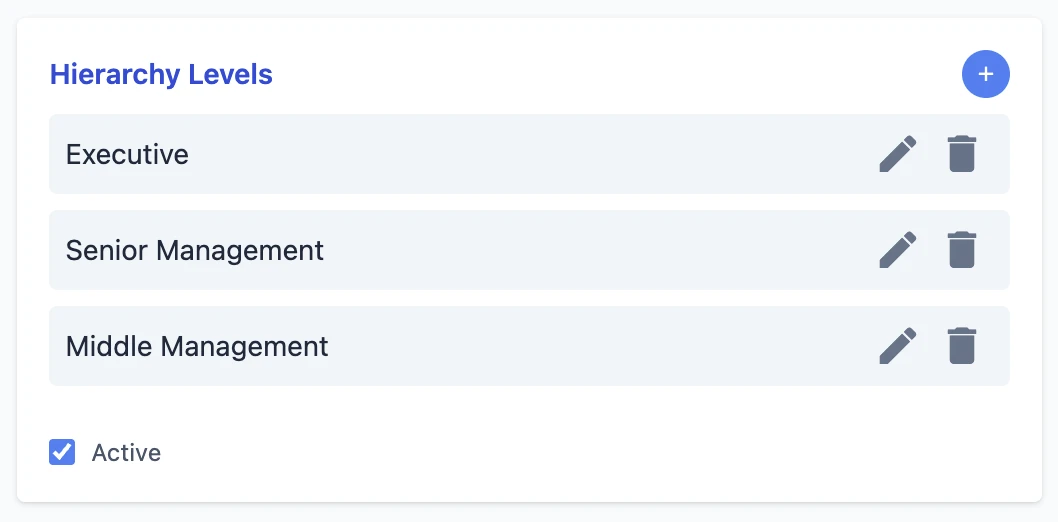
2. Leadership levels
You can define different hierarchy levels, such as:
- Executive
- Senior leadership
- Mid-level management
This is especially important if:
- Your leadership model differs by level
- You want to analyze development across levels
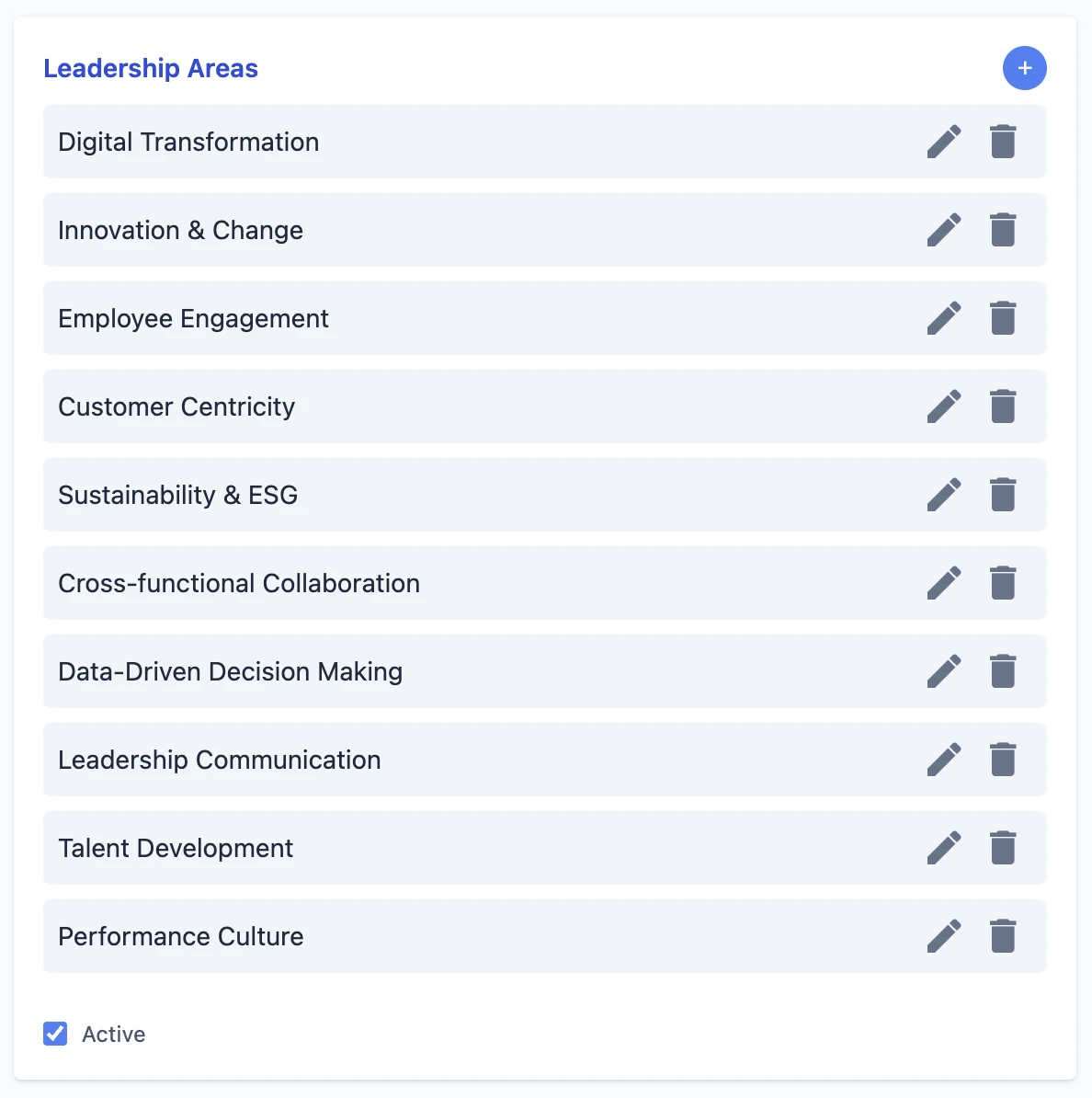
You can define additional Leadership Areas beyond your formal competency model.
This allows you to:
- Highlight strategic focus topics
- Introduce new development themes
- Complement your existing framework
These areas can later be selected by users or assigned centrally.
4. Report versions
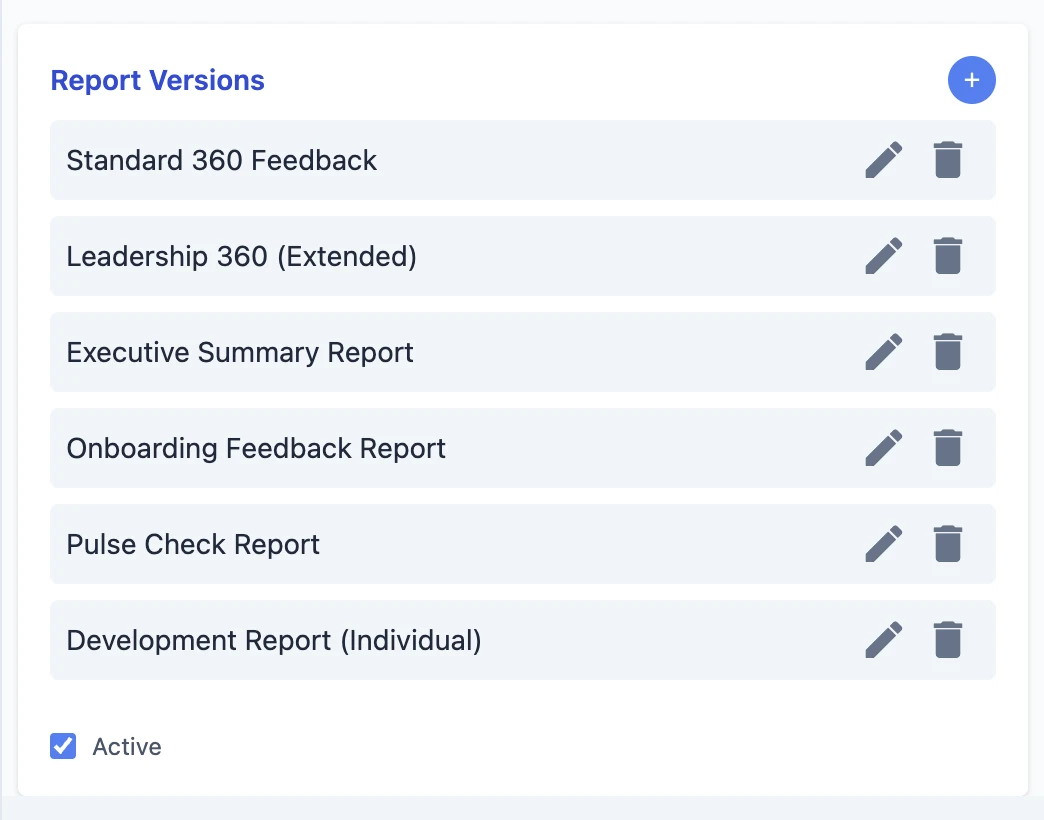
If you use multiple report formats (e.g. different 360 templates), you can define report versions.
This helps ensure:
- Correct data processing
- Accurate interpretation by the system
Start with what you need for analysis
Ask yourself:
- How do we want to segment our leadership population?
- What comparisons will be meaningful later?
Only activate fields that support these goals.
Keep it consistent with HR systems
Align your structure with:
- HRIS
- Existing reporting frameworks
This avoids confusion and simplifies adoption.
Avoid unnecessary complexity
More fields ≠ better insights.
Too many dimensions can:
- Complicate reporting
- Reduce clarity
- Slow down decision-making
Example setups
Simple setup
- Department
- Location
→ Good for smaller organizations or pilots
Advanced setup
- Division
- Department
- Location
- Leadership level
→ Enables deeper analysis and segmentation
How this connects to reporting
All active fields become available in:
- Usage analytics
- Nudge metrics
- Competency and behavior insights
You can use them to:
- Filter results
- Compare groups
- Identify patterns across the organization
Configuring Data Sources (Core Setup)
The Data Sources section is the core of Blended Leading.
This is where you define what information the system uses to generate insights, Nudge Drivers, and ultimately the nudges leaders receive.
Why this matters
The quality and relevance of nudges depend directly on your data sources.
Better inputs lead to:
- More accurate insights (Nudge Drivers)
- More relevant nudges
- Stronger alignment with your leadership strategy
In simple terms: > Your data defines the intelligence of the system
What you can configure
Blended Leading allows you to define multiple types of data sources.
Each source contributes to how the system understands leadership behavior from a different perspective.
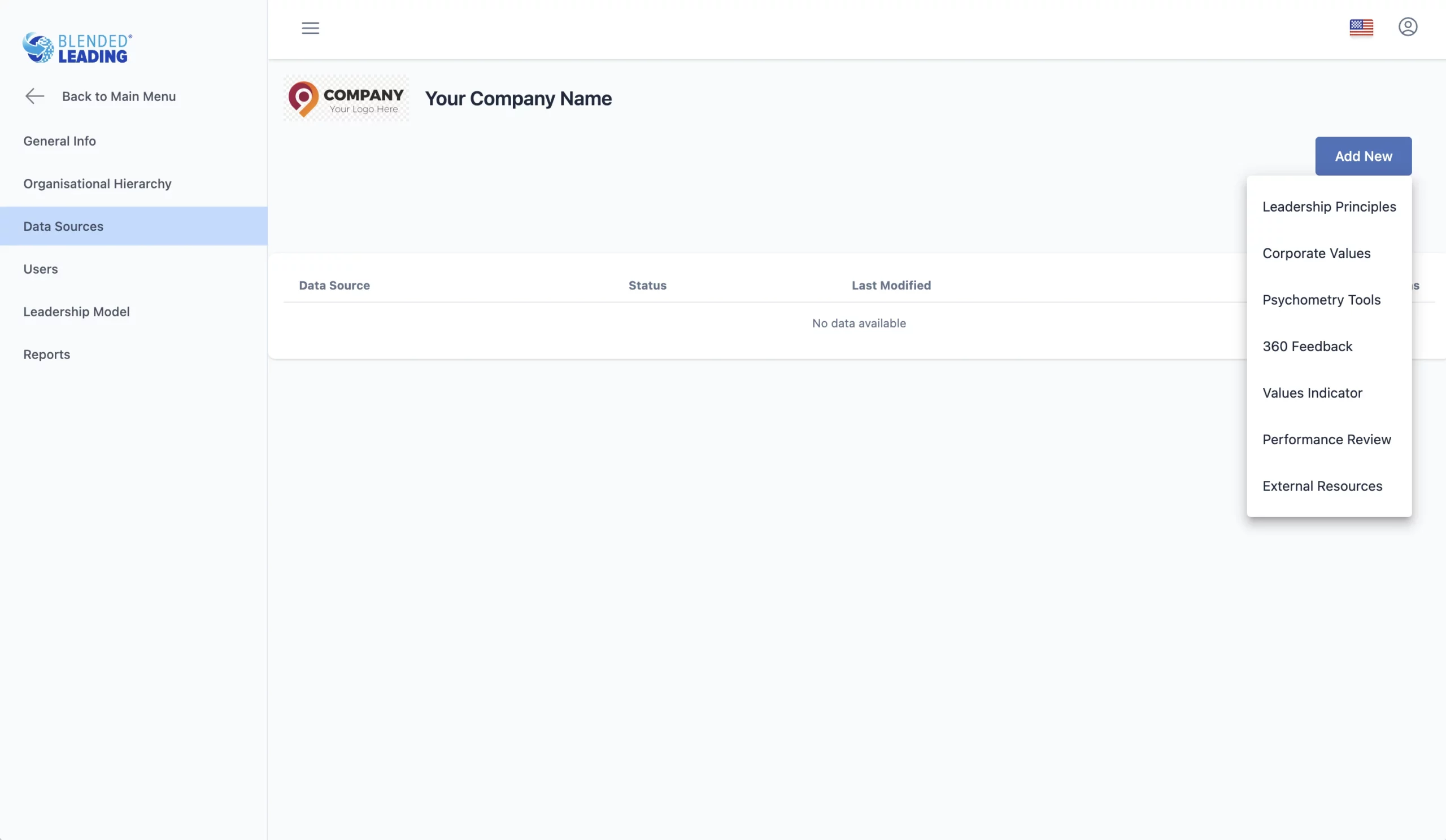
1. Corporate Values
You can define your organization’s corporate values.
Each value includes:
- A title
- A detailed description
Why this matters
Values provide context for nudges.
They ensure that recommendations are:
- Aligned with your culture
- Reflective of your expectations
Tip: Describe values with specific behaviors, not abstract statements.
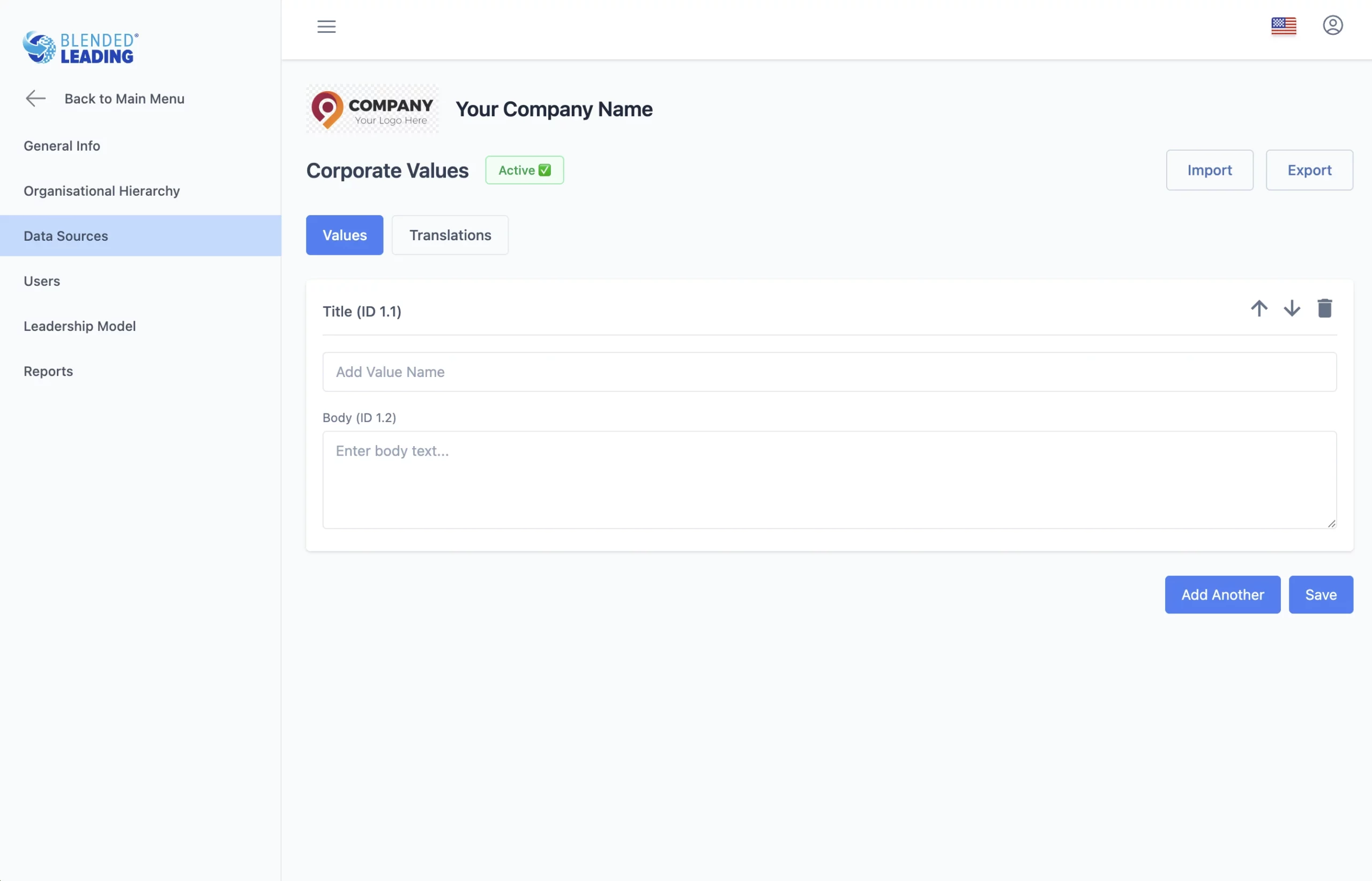
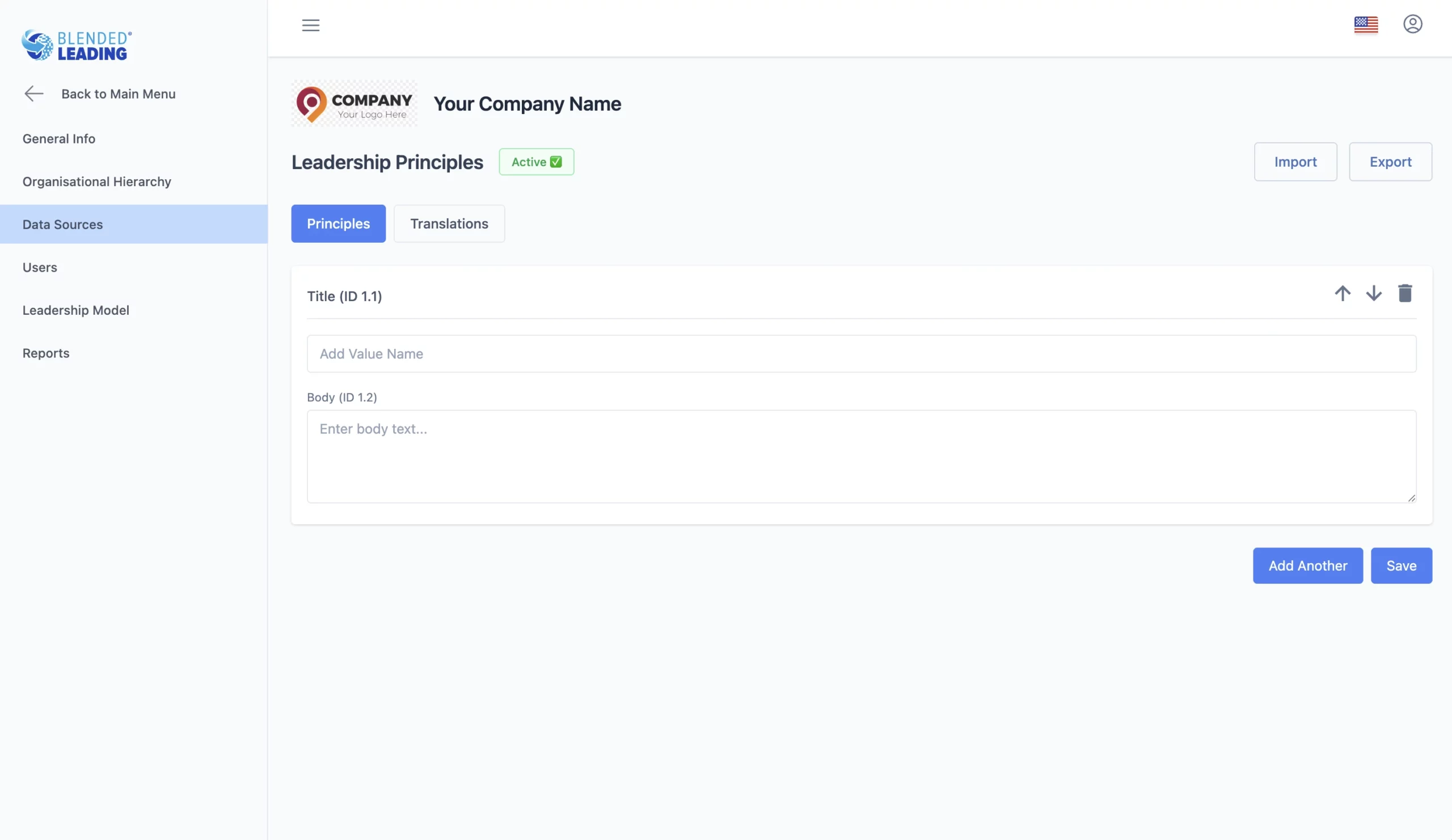
2. Leadership Principles
You can define your leadership principles or guidelines.
Similar to values, each principle includes:
- A title
- A detailed description
Why this matters
Leadership principles:
- Shape how leadership is interpreted
- Influence how nudges are framed
- Reinforce your leadership philosophy
3. 360° Feedback (High Impact)
360° feedback is one of the most powerful data sources in Blended Leading.
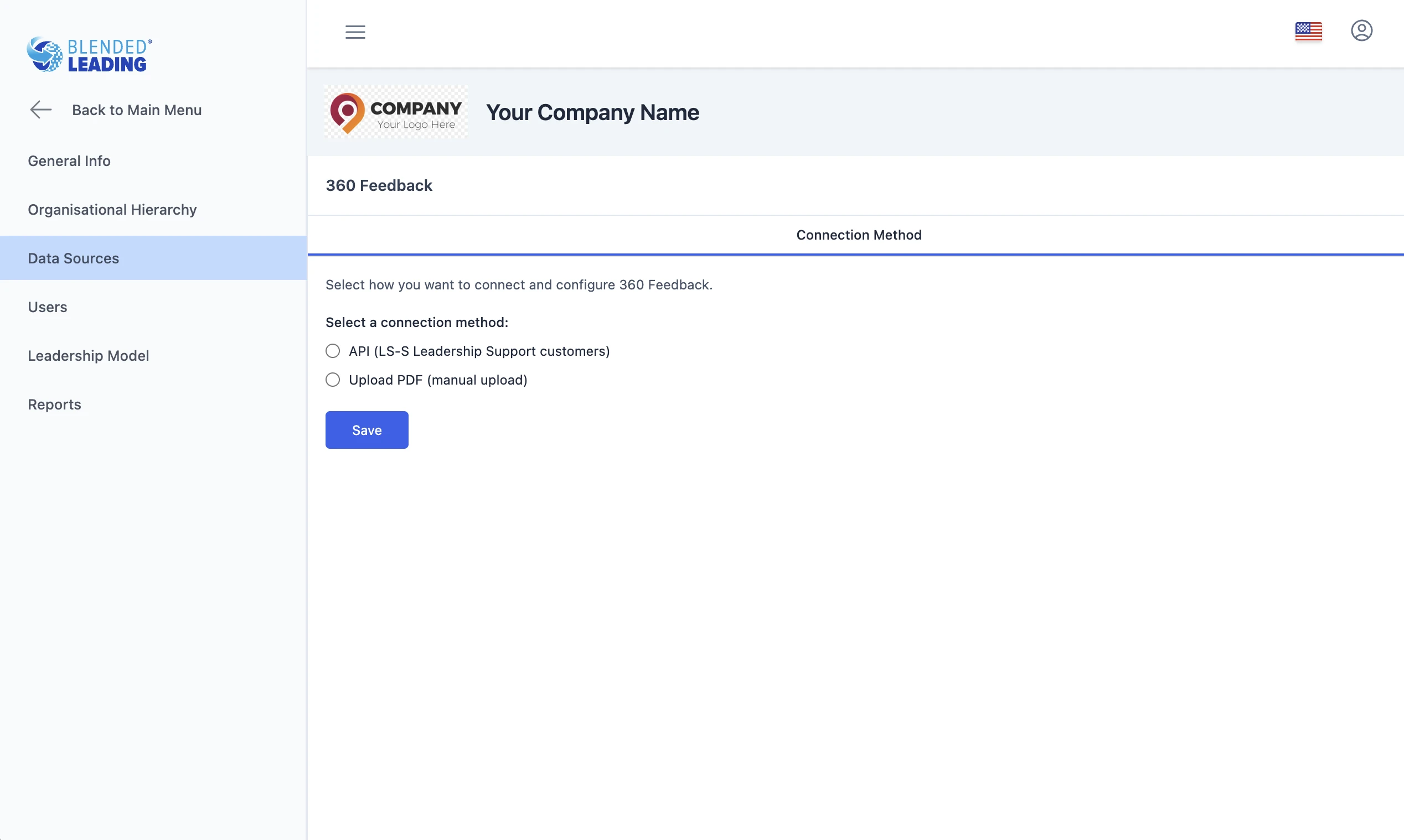
You can use it in two ways:
Option 1: API integration
- Direct connection with your 360 platform
- Automatic data flow
Option 2: PDF upload
- Upload existing 360 reports
- Configure templates for AI extraction
Configuring 360 templates
When using PDF uploads, you define how the system reads your reports:
You can configure:
- Competencies
- Behaviors
- Top & low items
- Open text questions
You also define:
- Page ranges
- Scales
- Aggregation logic
You can test templates by uploading sample files and previewing results.
Why 360 data is critical
360 feedback enables:
- Individual Results Drivers (based on scores and patterns)
- Text Analysis Drivers (based on open comments)
This makes nudges:
- Highly personalized
- Grounded in real feedback
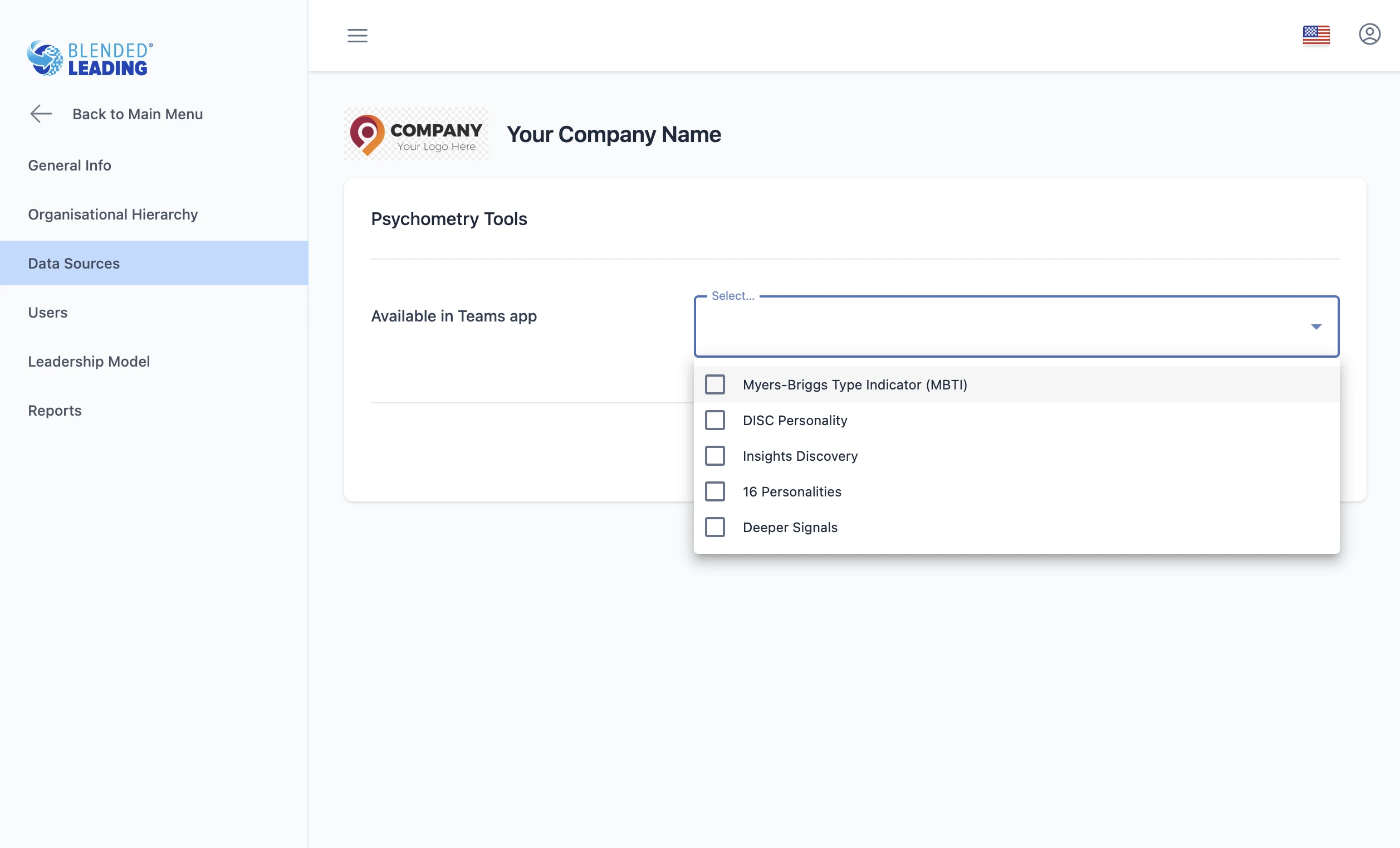
4. Psychometric Tools
You can enable supported personality tools, such as:
- MBTI
- DISC
- Insights Discovery
- 16 Personalities
Why this matters
Psychometric data helps:
- Add depth to personalization
- Adapt nudges to individual styles
This is optional but can enhance relevance.
5. External Learning Resources
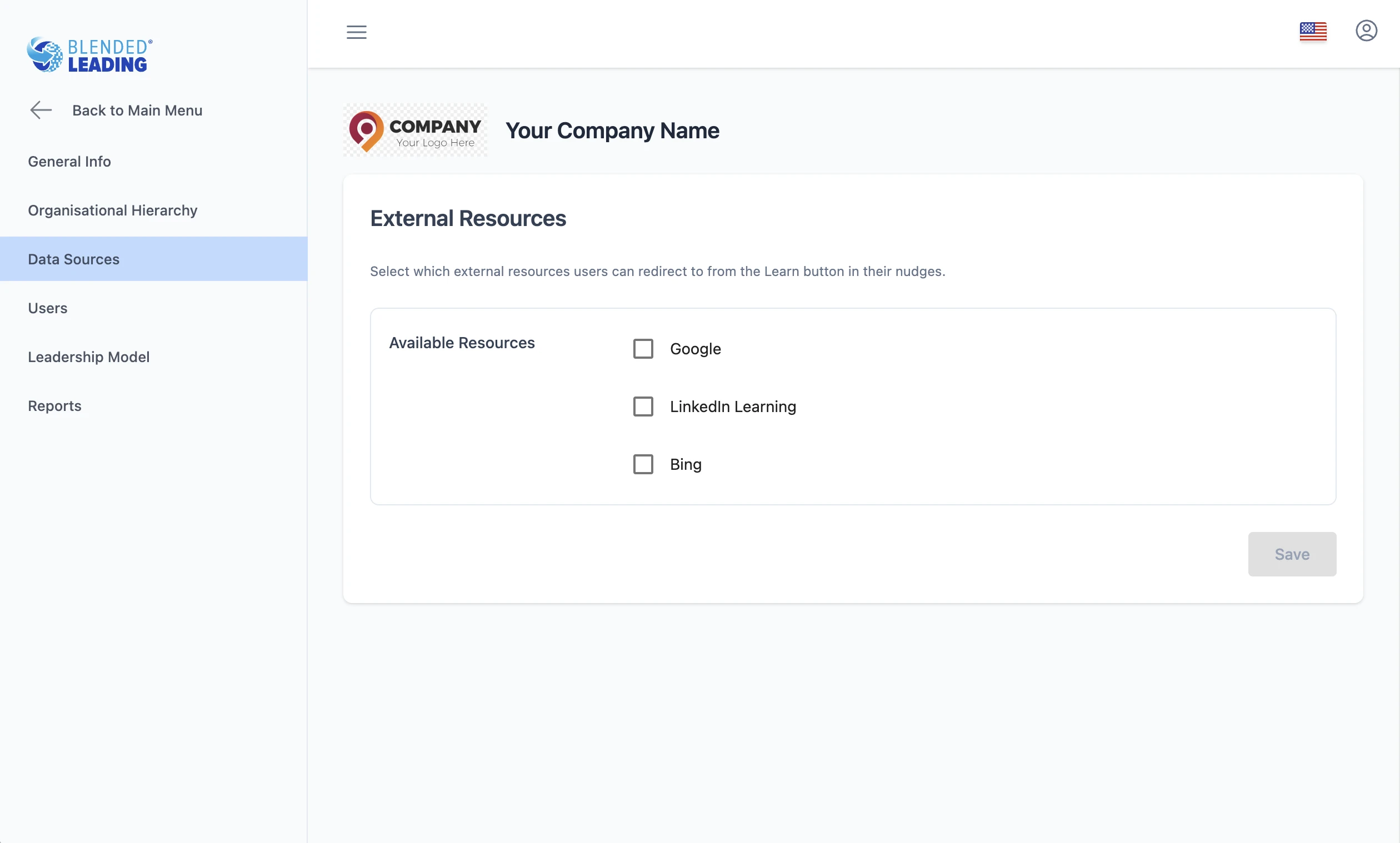
You can define which learning sources are available when users click “Learn more”.
Supported options may include:
- Google search
- Bing
- LinkedIn Learning
Why this matters
This connects nudges with:
- Deeper learning
- Existing learning ecosystems
6. Performance or Additional Data Sources (Optional)
You can also integrate:
- Performance reviews
- Other HR development data
These can contribute additional signals for:
- Individual Results Drivers
- Broader leadership insights
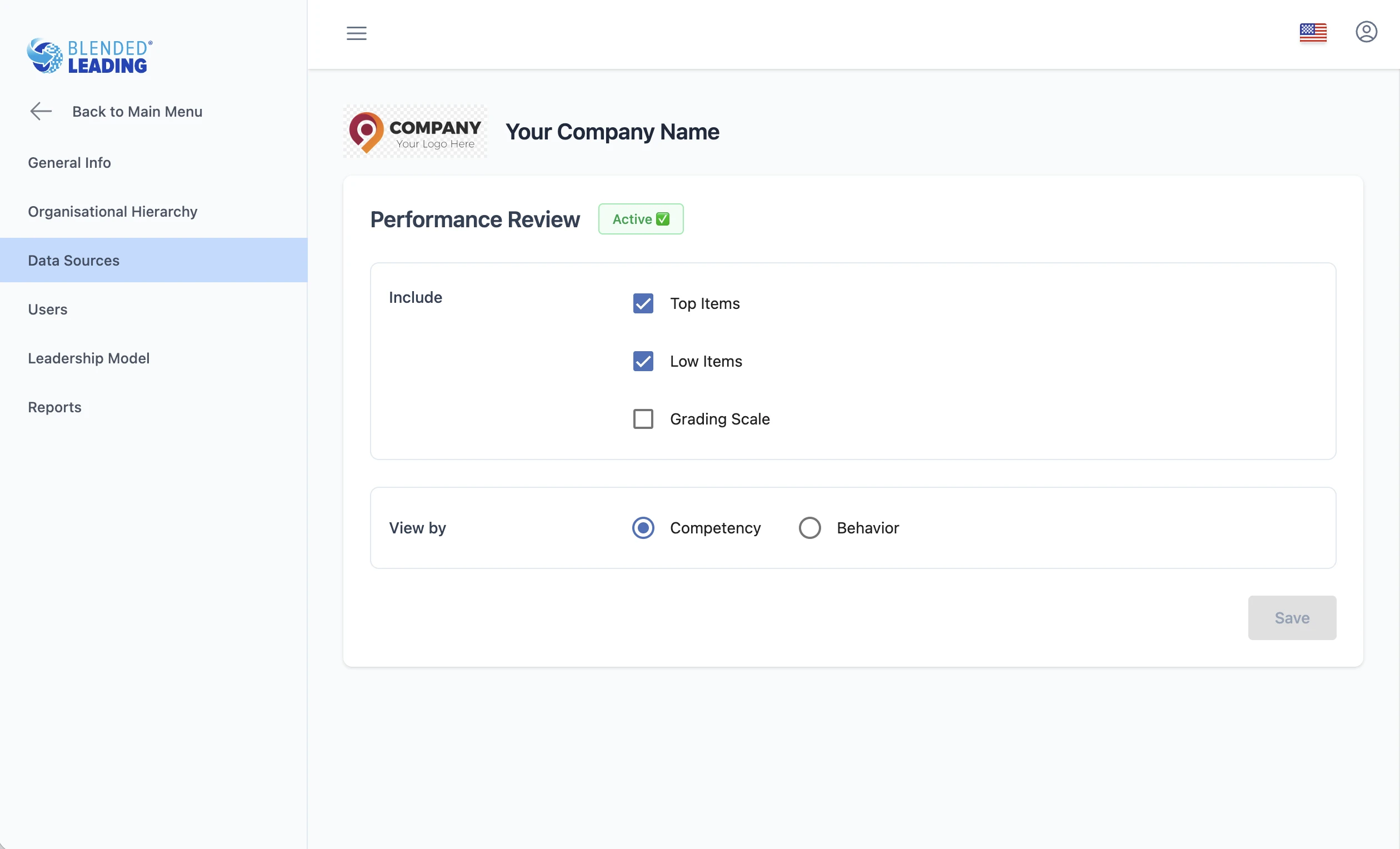
How Data Sources connect to Nudge Drivers
Each data source feeds into one or more Nudge Drivers:
- Individual Results Drivers → scores, structured data
- Organizational Benchmark Drivers → aggregated comparisons
- Text Analysis Drivers → open comments and qualitative feedback
Different sources strengthen different drivers.
How to approach setup (recommended)
Start with high-impact sources
- 360 feedback
- Leadership model
- Values & principles
Ensure quality over quantity
- Clear structure
- Consistent formats
- Meaningful content
Test before scaling
- Use sample files
- Validate extracted results
- Adjust configurations early
Align with your strategy
- Include only data that supports your leadership goals
Common pitfalls to avoid
- Using poorly structured or inconsistent reports
- Adding too many data sources without clear purpose
- Skipping template testing
- Using generic descriptions for values or principles
How Nudge Drivers, Results & Nudges Work Together
Blended Leading is designed to be transparent and easy to understand.
This article explains how Results, Nudge Drivers, and Nudges are connected – so you always know why you are receiving a specific nudge.
The big picture (in simple terms)
Blended Leading follows a clear flow:
- Leadership data is available (from you and/or your organization)
- Nudge Drivers analyze this data from different perspectives
- Results visualize the drivers so you can understand them
- Nudges are generated based on each driver
- Nothing happens in the background without being reflected in the Results area.
Step 1: Leadership data (the input)
Depending on your organization’s setup, leadership data may come from:
- Your individual leadership results
- Centrally provided reports (e.g. 360° feedback)
- Open text responses in reports
- Other leadership development inputs defined by the organization
This data is the starting point, not a judgment.
Step 2: Nudge Drivers (the logic)
Blended Leading uses three independent Nudge Driver types.
Each driver looks at the data from a different angle and works on its own.
1. Individual Results Drivers
These drivers focus only on your individual leadership results.
They look for:
- Repeated patterns
- Strong or emerging signals
- Areas where small changes could have impact
Nudges from these drivers are about your personal leadership profile.
2. Organizational Benchmark Drivers (if enabled)
These drivers compare your individual results with anonymized organizational benchmarks.
They help highlight:
- Where your patterns differ from typical organizational trends
- Which leadership behaviors may be especially relevant in your context
Important:
- Benchmarks are always anonymized and aggregated
- There is no ranking or scoring of individuals
Nudges from these drivers focus on context and alignment, not performance.
3. Text Analysis Drivers (if available)
These drivers analyze open text feedback in leadership reports.
They look for:
- Recurring themes
- Emotional tone (positive, neutral, challenging)
- Links between comments and leadership behaviors
These nudges address how leadership is experienced, not just measured.
Step 3: Results (the transparency layer)
The Results area shows you:
- Which Nudge Drivers are active
- What patterns or signals they detect
- How insights evolve over time
Results help you understand:
“Why am I receiving this type of nudge right now?”
Step 4: Nudges (the action)
Each Nudge Driver generates its own nudges, independently of the others. This means:
- You may receive nudges from different drivers
- Nudges may focus on different aspects of leadership
- Multiple nudges can coexist without conflict
Leadership focus areas do not control which driver generates nudges. Your preferences (timing, language, frequency) apply to all nudges equally.
Why this separation matters
This separation ensures that:
- Insights are not mixed or oversimplified
- Different perspectives stay clear
- Nudges remain specific and relevant
- You can trust the logic behind recommendations
What this is NOT
This process is not:
- A performance evaluation pipeline
- A ranking or scoring mechanism
- An automated decision-making system about you
It is a support loop designed to help you reflect and act.
In summary
- Data provides the input
- Nudge Drivers interpret it from different perspectives
- Results make this interpretation visible
- Nudges translate insights into small, practical actions
Blended Leading keeps this loop open and understandable – so support never feels like a black box.
Setting Up Your Leadership Model
The Leadership Model is the foundation of Blended Leading.
It defines how leadership is understood, structured, and interpreted across the system – and directly influences how Nudge Drivers and nudges are generated.
Why this matters
Your leadership model determines:
- How leadership behavior is defined
- How data is interpreted by the system
- How insights and nudges are structured
A clear and well-structured model leads to:
- More precise insights
- More relevant nudges
- Stronger alignment with your leadership strategy
What you can configure
You can create or import your leadership model using:
- A custom model (your own framework)
- A generic model (provided as a starting point)
You can also define the structure of the model.
Model structure options
Blended Leading supports two structures:
1. 3-level structure
Clusters → Competencies → Behaviors
Example:
- Leading Self (Cluster)
- Resilience (Competency)
- Stays calm under pressure (Behavior)
2. 2-level structure
Competencies → Behaviors
Simpler structure, suitable for: – Smaller organizations – Less complex frameworks
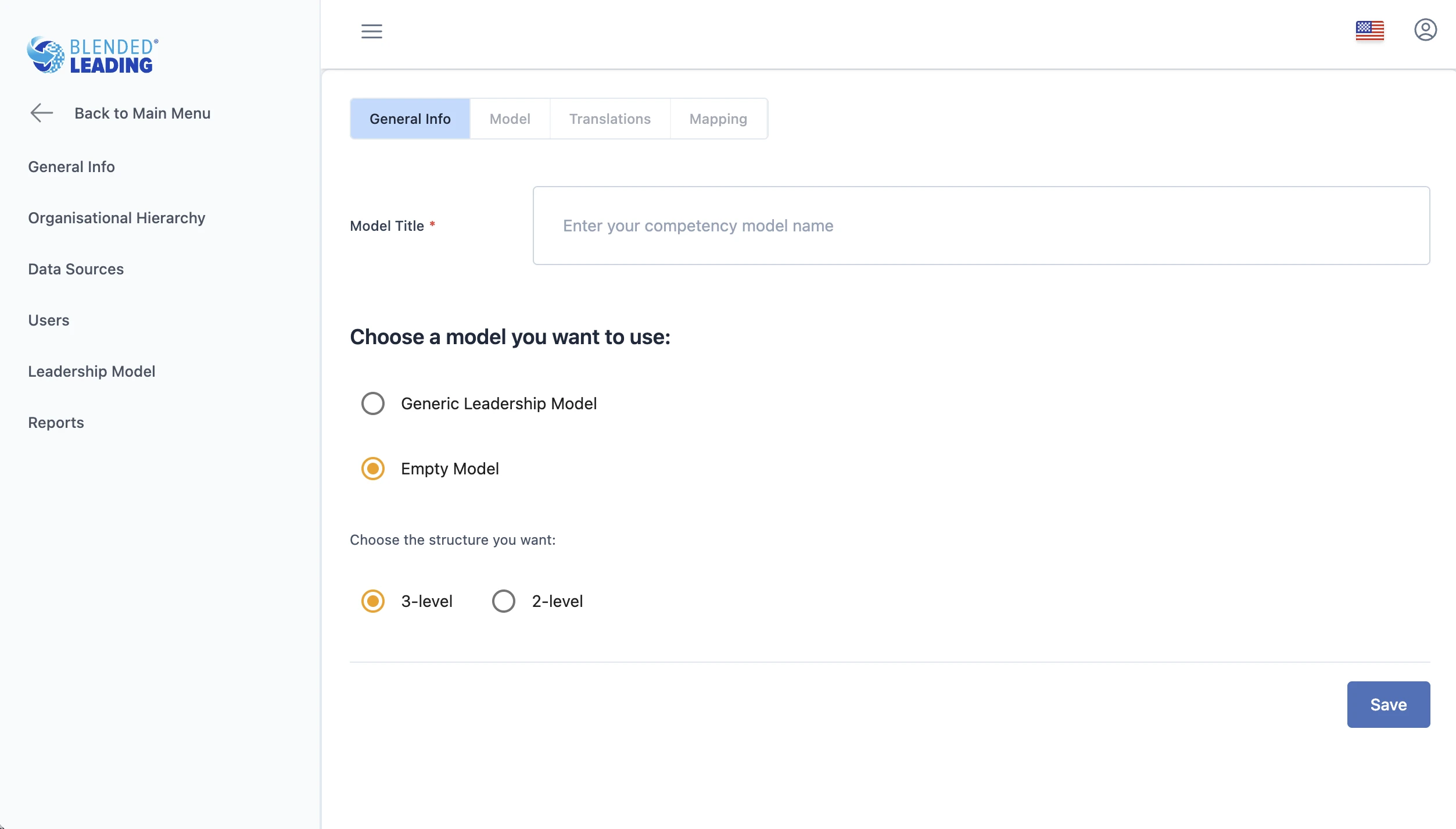
Key elements of the model
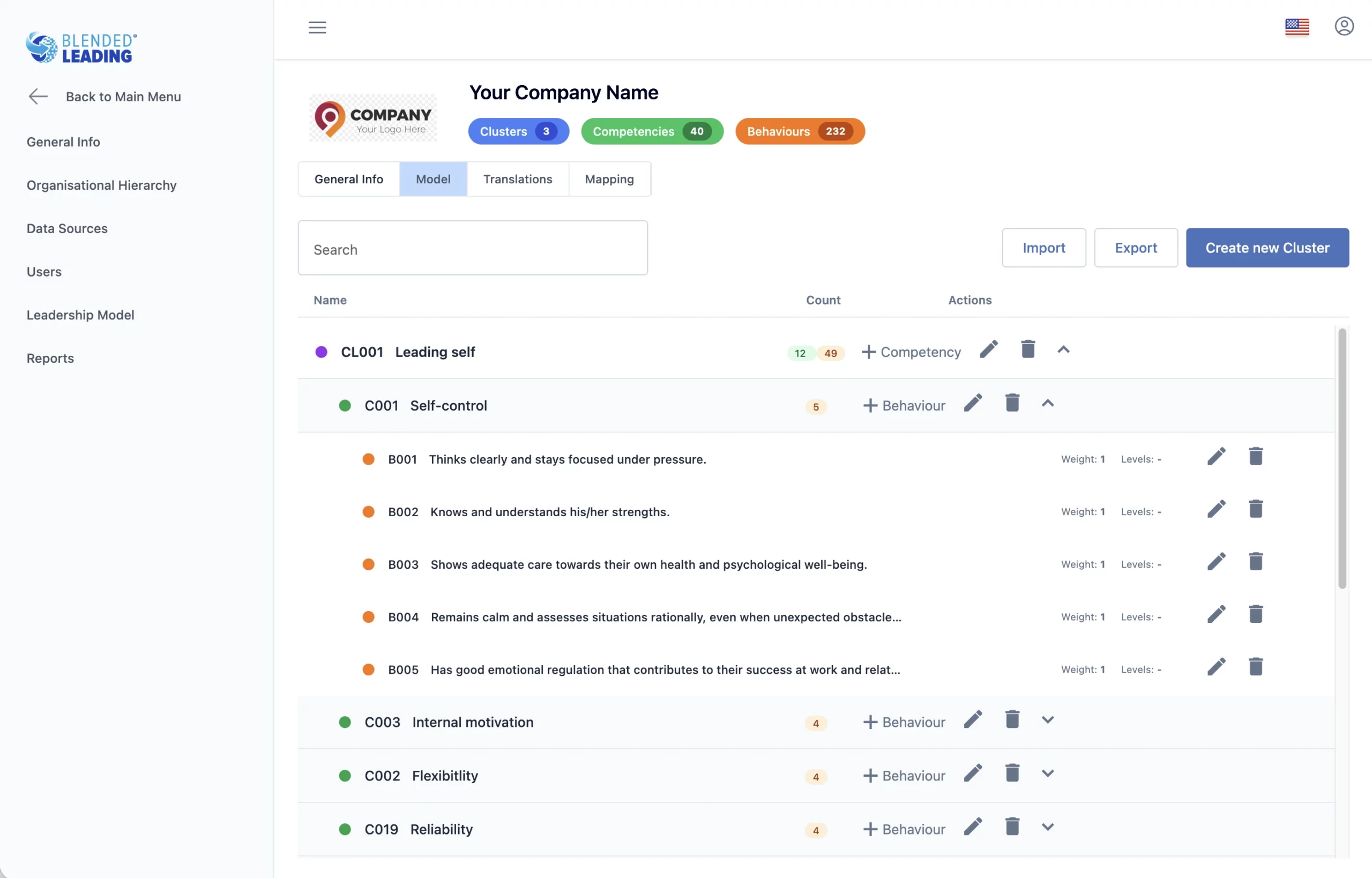
Clusters (optional)
High-level grouping of competencies.
Used to:
- Organize your model
- Improve clarity in reporting
Competencies
Core leadership capabilities.
These are:
- The main structure for analysis
- Visible in results and reporting
Behaviors
Specific, observable actions.
These are the most important level because:
- They are directly linked to nudges
- They are used in text analysis
- They define what “good leadership” looks like in practice
Tip: Write behaviors as clear, observable actions, not abstract descriptions.
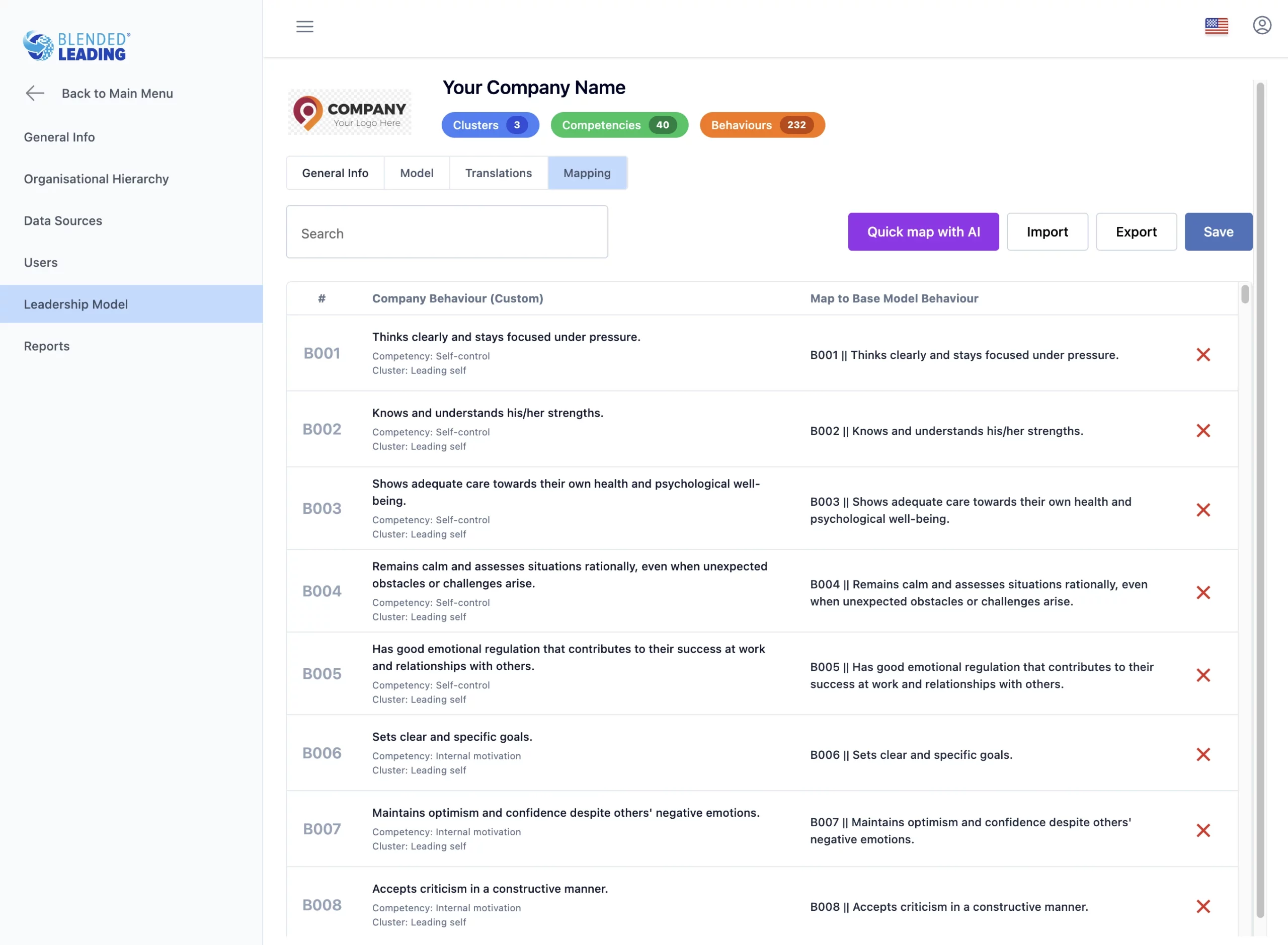
Mapping to the Generic Model (critical step)
Blended Leading includes a Generic Competency Model with predefined behaviors and keywords.
You can map your behaviors to this model.
Why mapping is important
Mapping enables:
Better interpretation of open text feedback
- More accurate Text Analysis Drivers
- Stronger connection between qualitative data and leadership behaviors
- Without mapping, text-based insights may be limited.
How mapping works
You can map behaviors using:
- AI-assisted mapping (recommended starting point)
- Manual selection in the interface
- Excel export/import for bulk mapping
Each behavior from your model is mapped to one corresponding behavior in the generic model.
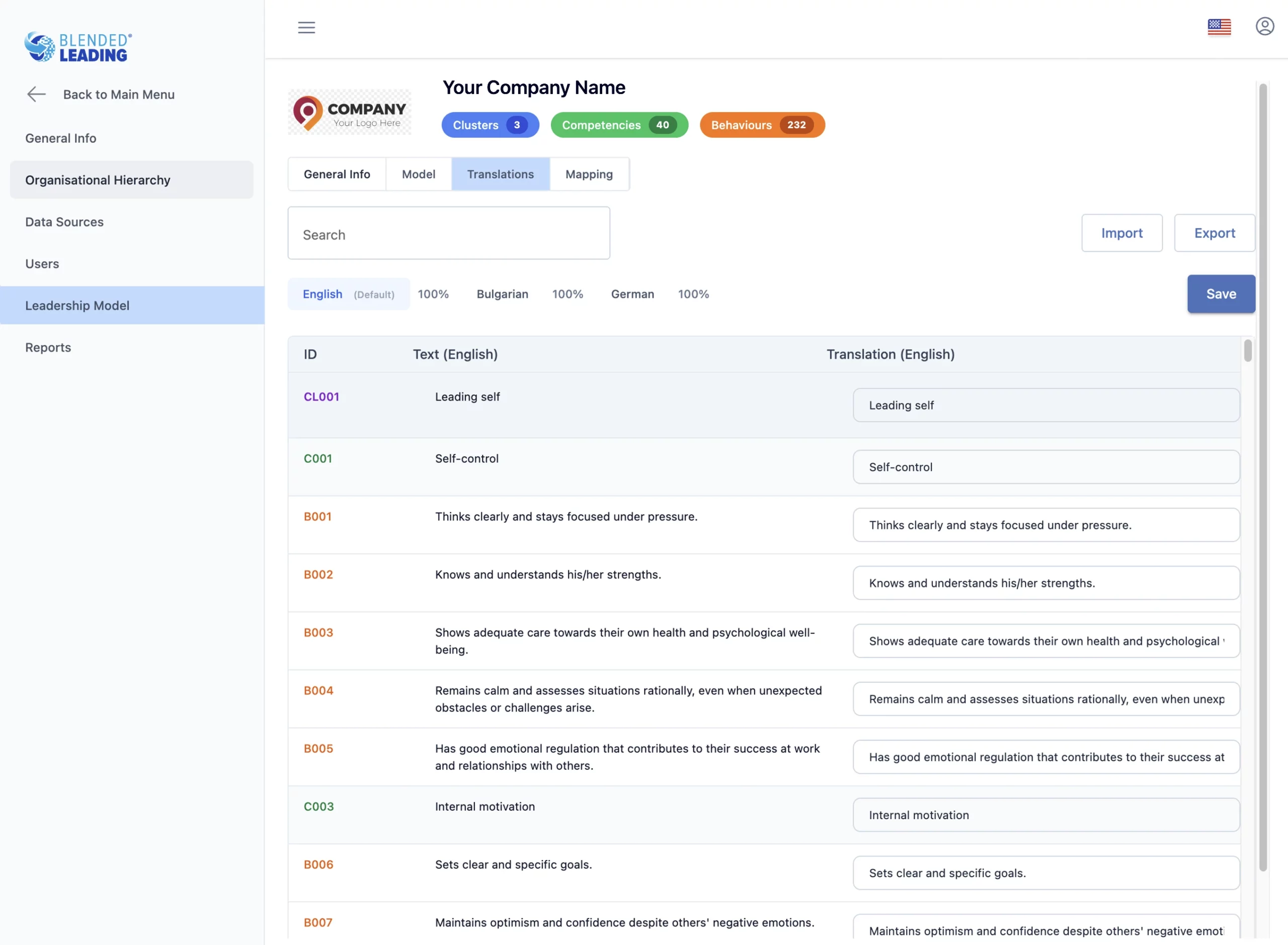
Translations
You can manage translations for all elements of your model:
- Clusters
- Competencies
- Behaviors
This ensures:
– Consistent user experience across languages
– Accurate localization of nudges and insights
How the leadership model connects to the system
Your model influences:
- Nudge Drivers (how insights are structured)
- Nudges (what behaviors are suggested)
- Results & analytics (how data is displayed)
It acts as the interpretation layer between raw data and actionable guidance.
How to approach setup (recommended)
Start with your existing framework
- Use your current leadership model if available
- Avoid creating a new model from scratch unless needed
Focus on behavior clarity
- Ensure behaviors are specific and actionable
- Avoid vague or abstract wording
Use mapping early
- Apply AI-assisted mapping first
- Review and refine where needed
Keep it manageable
- Avoid overly complex structures
- Prioritize clarity over completeness
Common pitfalls to avoid
- Using unclear or overly generic behaviors
- Skipping the mapping step
- Overcomplicating the model structure
- Misalignment with actual leadership expectations
Managing Users & Roles
The Users & Roles section allows you to control who has access to Blended Leading, what they can do, and how users are configured within the system.
This is where you ensure the platform aligns with your organizational structure, governance model, and rollout strategy.
Why this matters
User management determines:
- Who can access Blended Leading
- What each role is allowed to do
- How data is managed (centrally or individually)
- How consistent the user experience is across the organization
A well-managed user setup ensures:
– Smooth onboarding
– Clear responsibilities
– Strong governance and data control
User roles in Blended Leading
Blended Leading supports several roles with different levels of access.
1. Participants (Leaders)
- Use the app in Microsoft Teams
- Receive nudges
- Can rate nudges and select action statuses
- May upload or manage their own data (depending on setup)
2. HR Admin
- Full access to workspace configuration
- Manage users, data sources, leadership model, and reports
- Define governance and permissions
3. Corporate Admin
- Similar to HR Admin
- Typically used for system-wide or IT-level administration
4. Local HR
- Limited administrative access
- Can manage users and data within assigned scope (e.g. location or division)
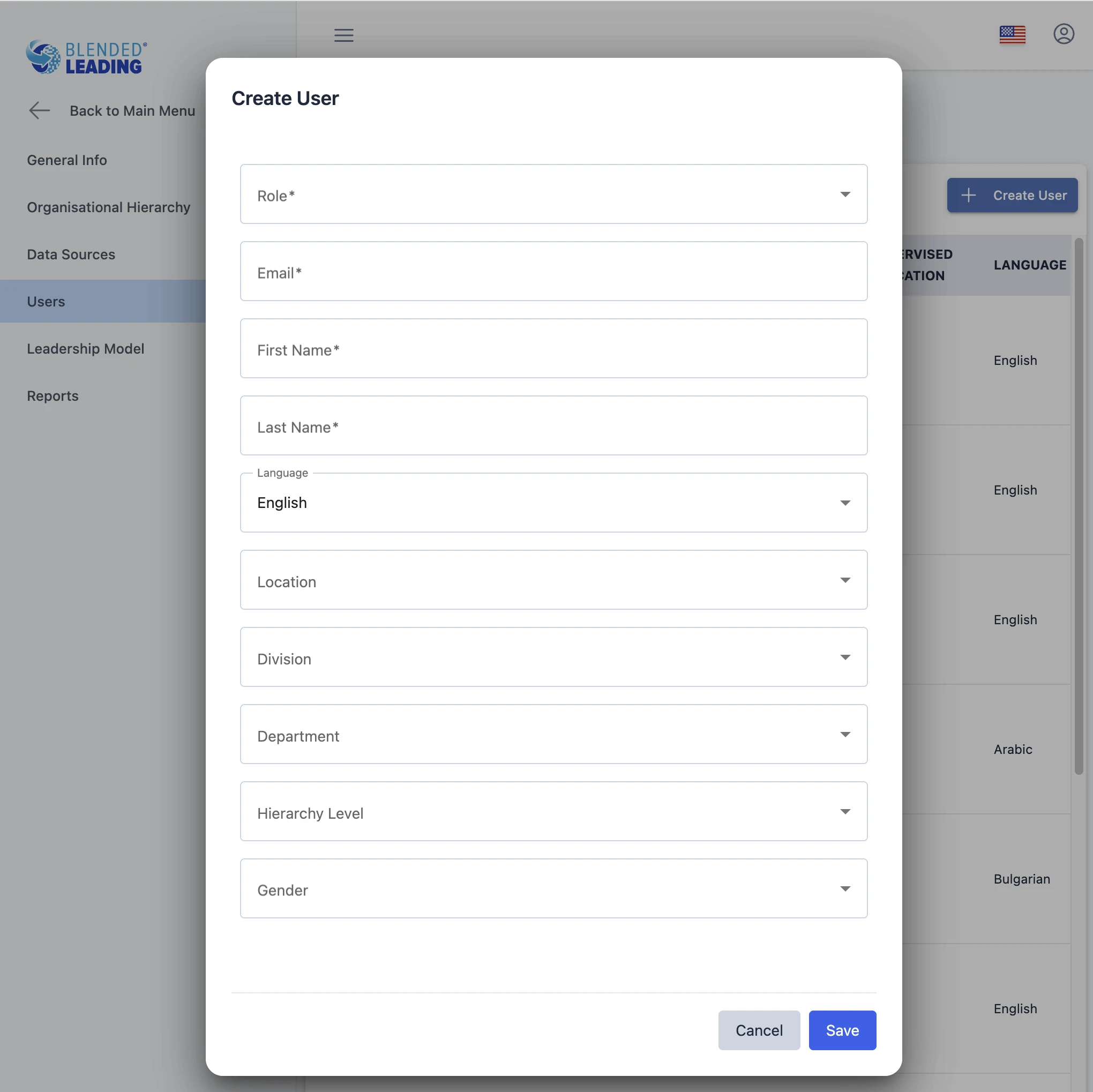
Creating and managing users
To add a new user, you provide basic information such as:
- Role
- Email (Office 365 login)
- First and last name
- Language (UI localization)
- Gender
Additional fields may include:
– Division
– Department
– Location
– Position
– Leadership level
These fields depend on your organizational structure setup.
Pre-configuring users (central setup)
Blended Leading allows you to pre-configure users centrally.
This is especially important in organization-managed setups.
You can:
- Upload 360° feedback reports
- Upload performance reviews
- Assign leadership focus areas
- Define general settings (timing, language, channels)
Why this matters
Central configuration allows you to:
- Ensure consistency across users
- Reduce effort required from leaders
- Enable immediate value from day one
Leaders can start receiving personalized nudges without additional setup.
Individual vs. centralized user management
You can choose between two approaches:
Individual-managed approach
- Leaders manage their own data and settings
- HR provides the framework
Organization-managed approach
- HR configures data and settings centrally
- Leaders receive nudges with minimal setup
Both approaches are supported and can be adapted to your organization’s needs.
Managing existing users
You can:
- Edit user details
- Update roles and permissions
- Modify settings and uploaded data
- Remove users and their data
You can also review each user’s configuration via the settings interface.
Best practices
Align roles with responsibilities
- Limit admin roles to necessary users
- Use Local HR roles for decentralized management
Use central configuration strategically
- Preload key data (e.g. 360 reports)
- Reduce onboarding friction
Keep user data consistent
- Use standardized naming for organizational fields
- Align with HR systems
Plan for scale
- Structure users in a way that supports reporting and filtering later
Common pitfalls to avoid
- Assigning too many admin roles
- Inconsistent user data (e.g. different naming conventions)
- Over-relying on manual user setup
Understanding Reports & HR Analytics
The Reports & Analytics section helps you understand how Blended Leading is used across your organization – and what impact it is creating.
It provides aggregated, anonymized insights to support HR decisions, without evaluating individuals.
Why this matters
Blended Leading is not just a delivery tool – it is also a learning and insight system.
Reports help you:
- Track adoption and engagement
- Understand how leaders interact with nudges
- Identify patterns in leadership development
- Support data-informed HR decisions
What you can see (at a glance)
The Reports section typically includes:
- Usage & adoption metrics
- Nudge effectiveness metrics (ratings & actions)
- Leadership insights (competencies & behaviors)
All data is:
– Aggregated
– Anonymized
– Non-evaluative
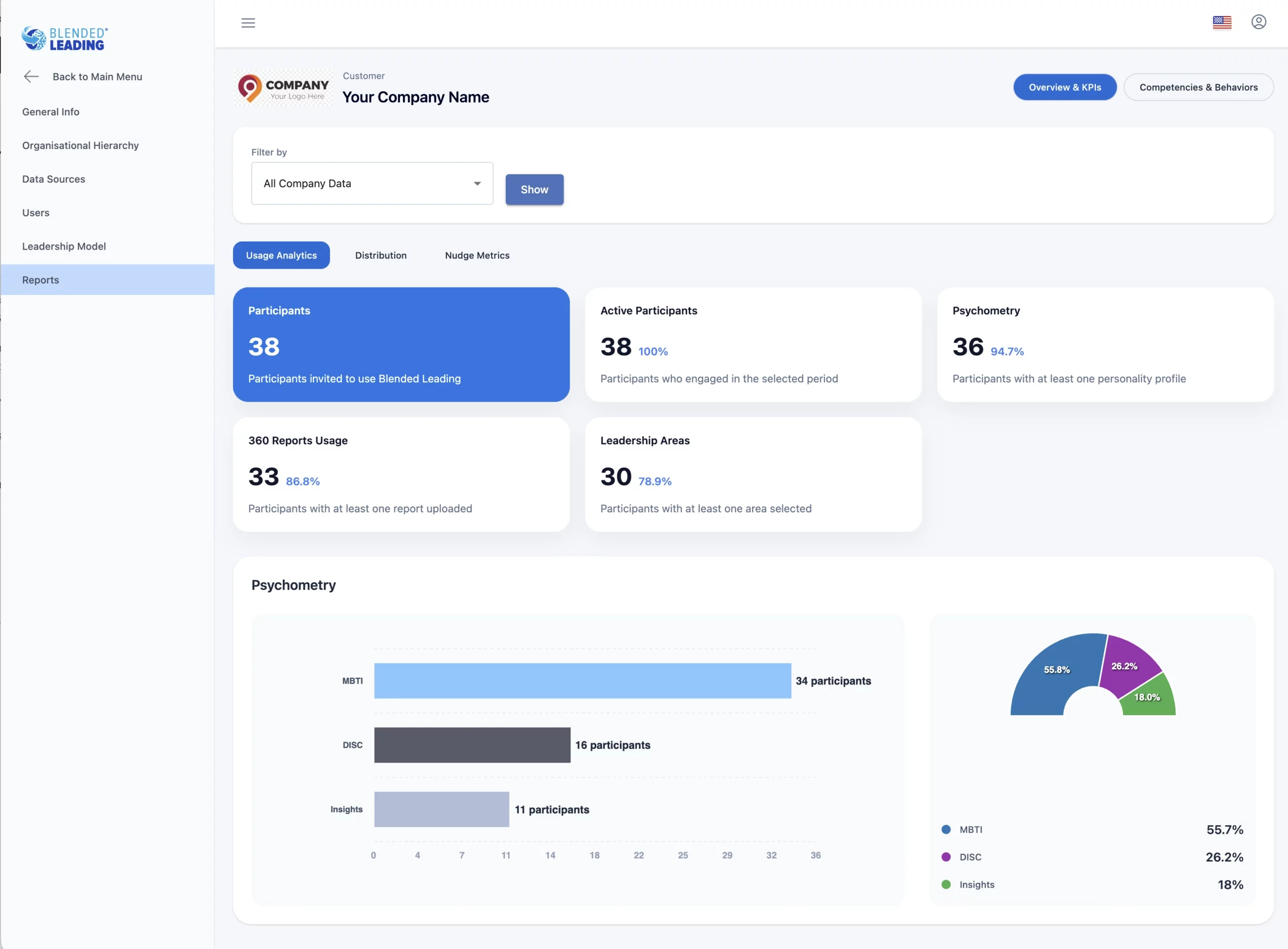
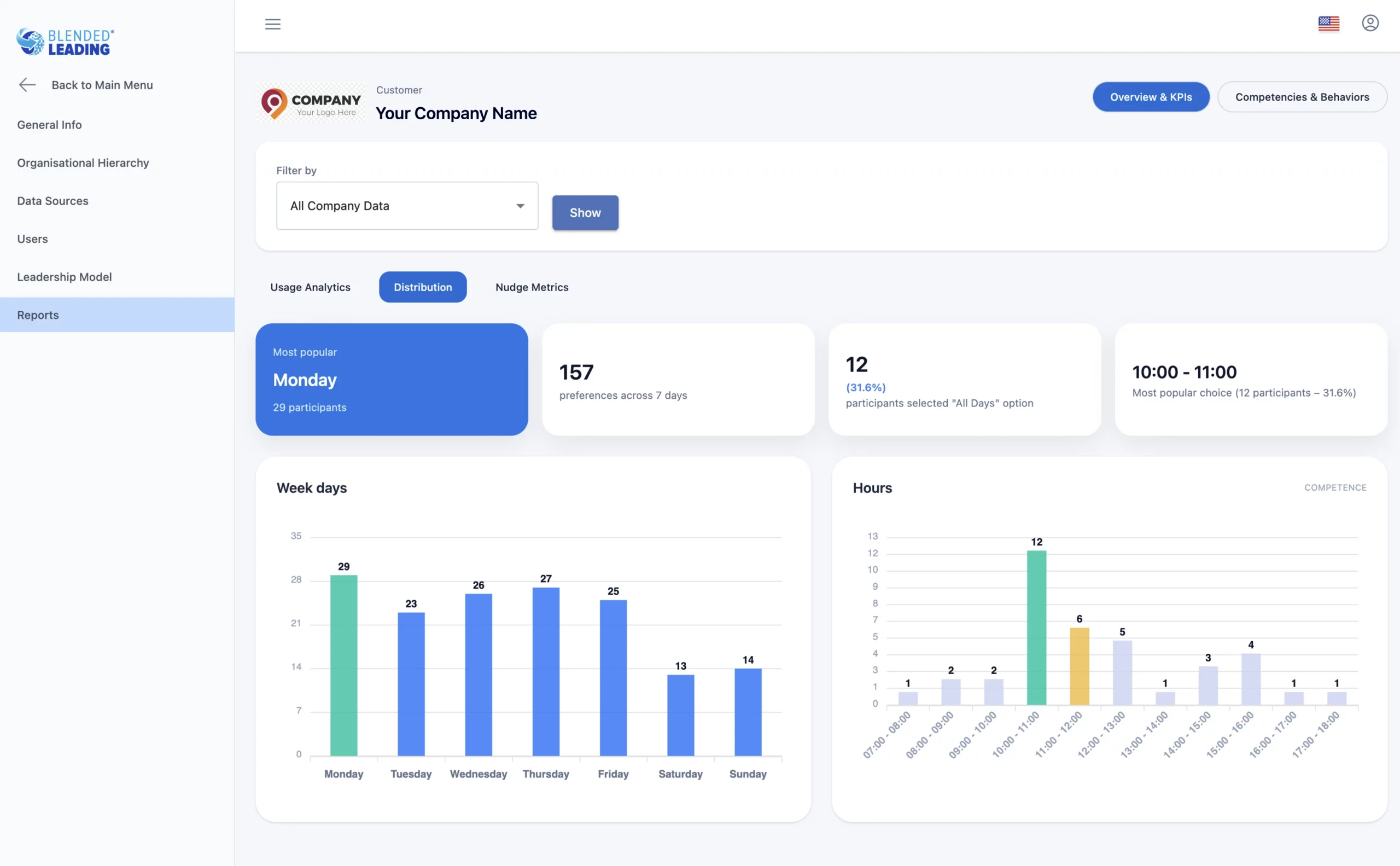
1. Usage & Adoption Analytics
This section shows how widely and actively Blended Leading is used.
You can track:
- Number of invited participants
- Number of active users
- Users with uploaded data (e.g. reports, profiles)
- Distribution of preferences (e.g. days, times)
Why this matters
It helps you understand:
- Adoption levels
- Engagement trends
- Where additional communication or support may be needed
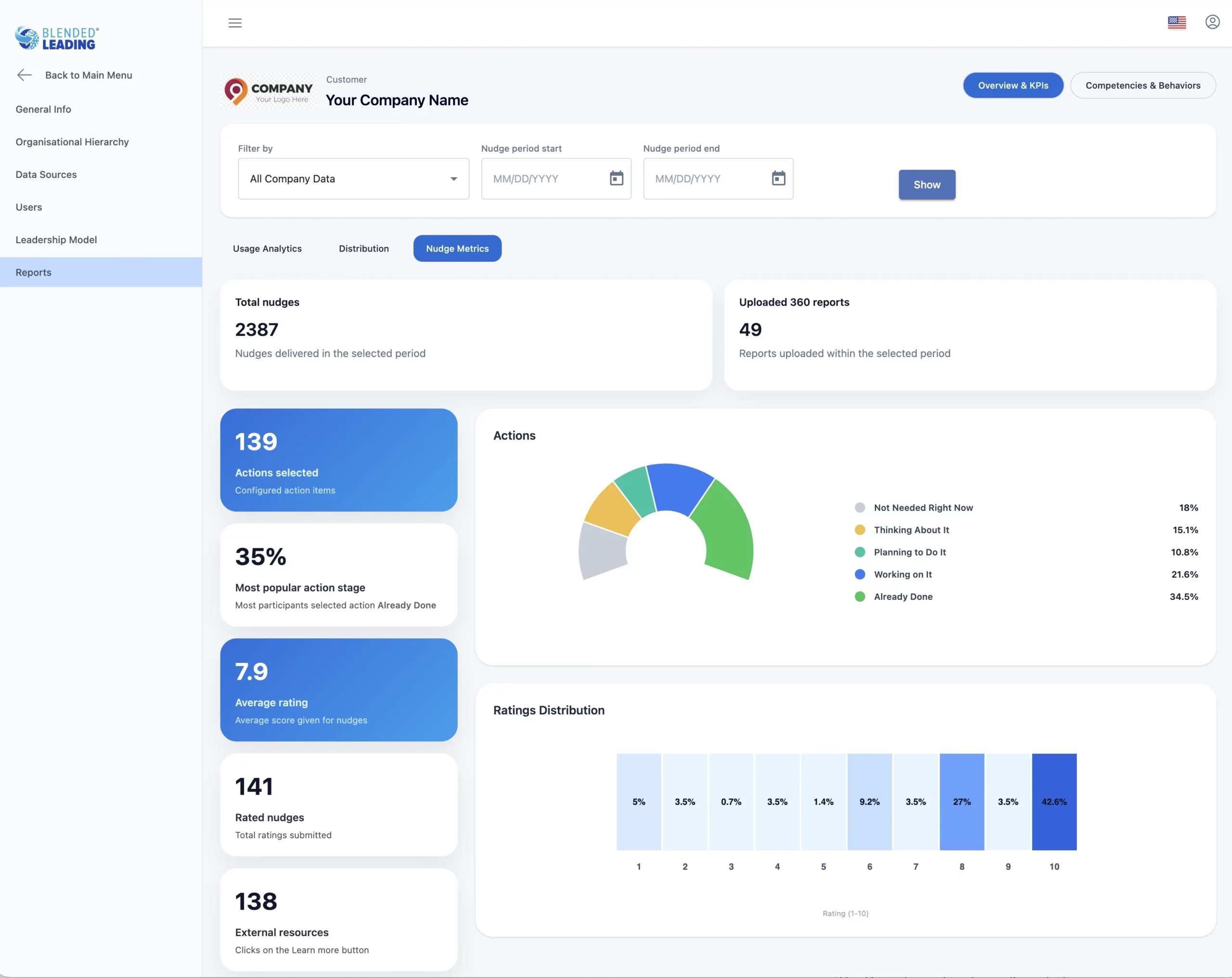
2. Nudge Effectiveness
This section focuses on how nudges are received and used.
Key metrics include:
- Total number of nudges sent
- Number of rated nudges
- Average rating
- Distribution of ratings
- Number of selected actions
- Distribution of action statuses
Action statuses include:
- Not Needed Right Now
- Thinking About It
- Planning To Do It
- Working On It
- Already Done
Why this matters
This helps you understand:
- How useful nudges are perceived
- How leaders engage with suggested actions
- Which types of nudges drive the most interaction
These insights are always aggregated and anonymous.
3. Leadership Insights (Competencies & Behaviors)
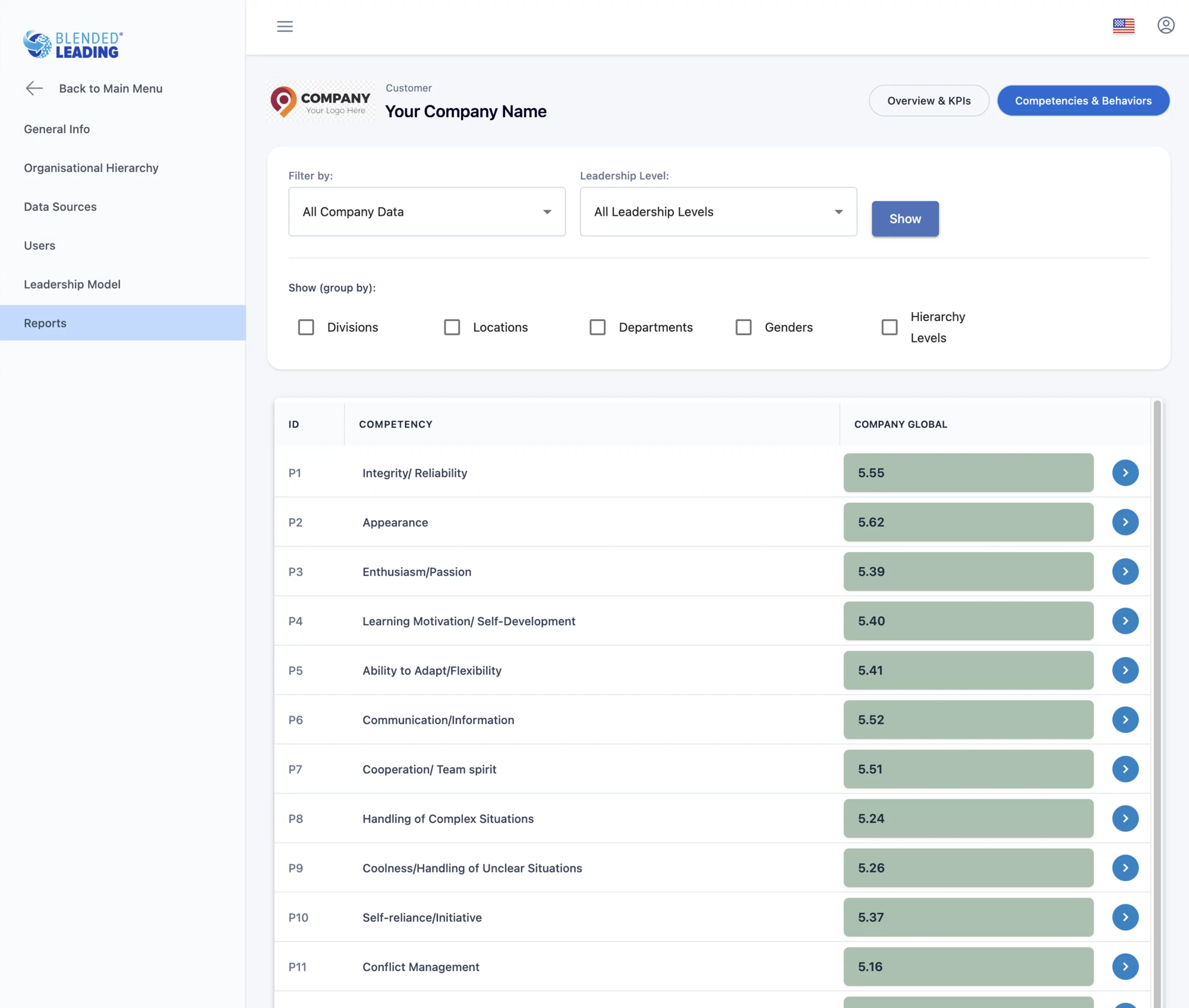
This section provides insights based on leadership data.
You can see:
- Performance trends across competencies and behaviors
- Changes over time
- Distribution of strengths and development areas
Why this matters
It helps you:
- Identify organization-wide patterns
- Understand where development is progressing
- Align initiatives with real needs
Filtering and segmentation
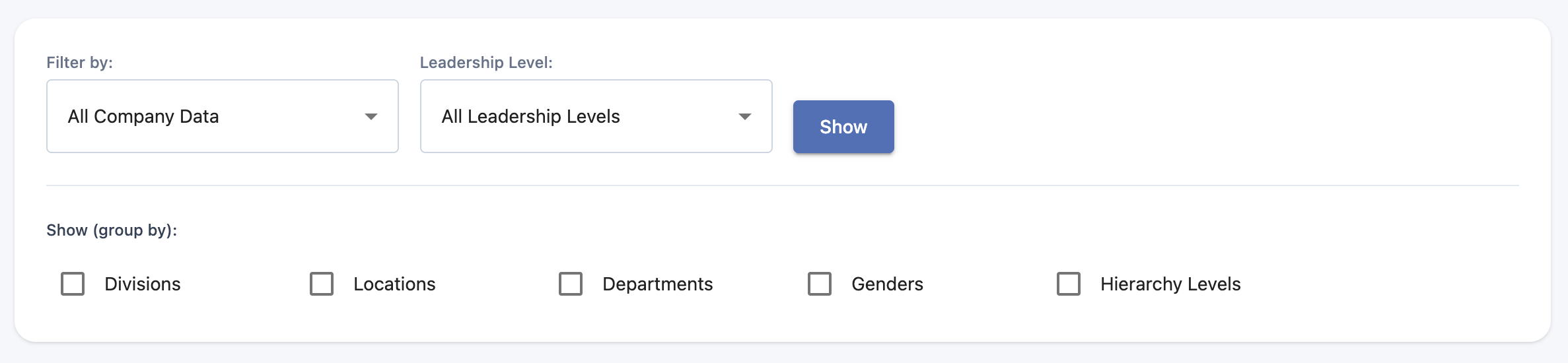
You can filter reports using your configured organizational structure, such as:
- Division
- Department
- Location
- Leadership level
This allows you to:
- Compare different groups
- Identify specific trends
- Focus on targeted interventions
How to interpret the data (important)
Blended Leading reports are designed for directional insights, not precise measurement.
They should be used to:
- Identify patterns
- Guide decisions
- Support discussions
They should not be used to:
- Evaluate individual leaders
- Rank or compare individuals
- Make performance decisions
What you cannot see
To ensure privacy and trust:
- You cannot see individual nudges
- You cannot see individual ratings or actions
- You cannot track specific user behavior
All insights are aggregated across groups.
Data, Privacy & Governance for HR
As an HR Admin, you play a key role in ensuring that Blended Leading is used in a way that is secure, compliant, and trusted by leaders.
This article explains how data is handled, what your responsibilities are, and how governance is applied in practice.
Why this matters
Blended Leading works with sensitive leadership data.
A clear governance approach ensures:
- Trust from leaders
- Compliance with GDPR and internal policies
- Responsible use of insights
Core principles
Blended Leading is built on the following principles:
- No monitoring of chats, emails, or behavior
- Explicit data usage only (no hidden data collection)
- Aggregated and anonymized reporting
- No individual evaluation or ranking
As HR, your role is to maintain and communicate these principles.
Data ownership and control
Your organization remains the owner of all data used in Blended Leading.
As HR Admin, you:
- Define which data is used
- Control how it is managed
- Ensure it aligns with internal policies
Individual vs organization-managed data
Blended Leading supports two data governance models.
1. Individual-managed model
- Leaders upload and manage their own data
- HR configures the system framework
- HR sees only aggregated insights
2. Organization-managed model
- HR or L&D uploads data centrally (e.g. 360 reports)
- Data is used to generate personalized nudges
- Leaders are not required to upload data themselves
What stays consistent in both models
- Nudges remain personal
- No individual-level reporting to managers or HR
- Insights are aggregated and anonymized
What HR can and cannot see
HR can see
- Aggregated usage and adoption data
- Aggregated ratings and action statuses
- Leadership trends across groups
HR cannot see
- Individual nudges
- Individual ratings or action statuses
- Individual behavior or usage patterns
This separation is essential to maintain trust and psychological safety.
Consent and GDPR compliance
Blended Leading follows EU GDPR standards.
As HR Admin, you should ensure that:
- Users provide explicit consent for personal data (where required)
- Data is used only for clearly defined purposes
Users can:
- Withdraw consent
- Remove uploaded data
- Stop using the system
Data security
Blended Leading ensures:
- Data storage and processing within the EU
- Secure handling of sensitive information
- Encryption of relevant data
Your role is to ensure alignment with your internal IT and security policies.
Responsible use of insights
HR analytics in Blended Leading are designed for:
- Identifying patterns
- Supporting development initiatives
- Guiding strategic decisions
They should not be used for:
- Performance evaluation
- Individual assessment
- Ranking or comparison of leaders
Communicating governance to leaders
To ensure adoption and trust, it is important to communicate clearly that:
- Blended Leading is a development tool, not a monitoring tool
- Individual data is not visible to managers or HR
- Participation is safe and controlled
Clear communication reduces resistance and increases engagement.
FAQ – HR Admin Perspective
This FAQ answers the most common questions from HR Admins, HR Business Partners, and L&D leaders.
It focuses on governance, impact, and practical rollout considerations.